|
Whatsapp Click to Chat |
Viber Click to Chat |
Email us : sendflower@yahoo.com, Viber/WhatsApp: (+639162669689), same day delivery |
|
Categories
Information
Testimonials
“It was a pleasure dealing with This online Flower Shop. . My red and white rose bouquet was stunningand very reasonably ...” - Patrick, Philippines “Thank you for the funeral flowers you delivered for my grandmother. I really appreciated all the effort you put in and I...” - Andy, Philippines “Thank you for an excellent service from a company that knows how to deliver! I received a telephone call from my Mom to ...” - Cathy, Oman “The bouquet was perfect, thank you for your help getting it right....” - Ronald thump, United Kingdom “My girl friend was thrilled with the gift basket you guys delivered Sunday. It was absolutely gorgeous!...” - Jonathan, USA “Thank you so much for your very professional and timely handling off my order. I am most appreciative.. The flowers my m...” - Michael, Philippines  
Track Your Order
Newsletter
|
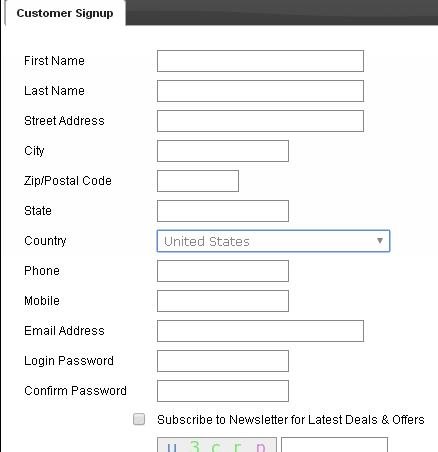
you need to create an account to our website if you are a new customer.click Register Follow the below step for How to shop: Step1: Select your items from any category. Step 2: Click the add to cart Button. Then click shopping cart Step 3: The next page is your shopping cart items. click continue shopping.if you want to adds more items,(add to cart & shopping cart again) Click Update Button if you want to change the quantity of your items. Click Delete Button beside the item price if you like to remove it in cart. Click Checkout Button to go on the next step. Step 4: if you are already registrar, then use existing customer. Put the email address & your password Step 5: Next page is fill up your billing address, shipping information, delivery area, date of delivery. & Choose your payment method Step 6: Then click Submit Order. Step 7: Click process order. Wait for a while for loading next page Step 8: Next page will go our secure payment gateway.  |
Occassions
Latest Testimonials
Information
FOLLOW ON |